

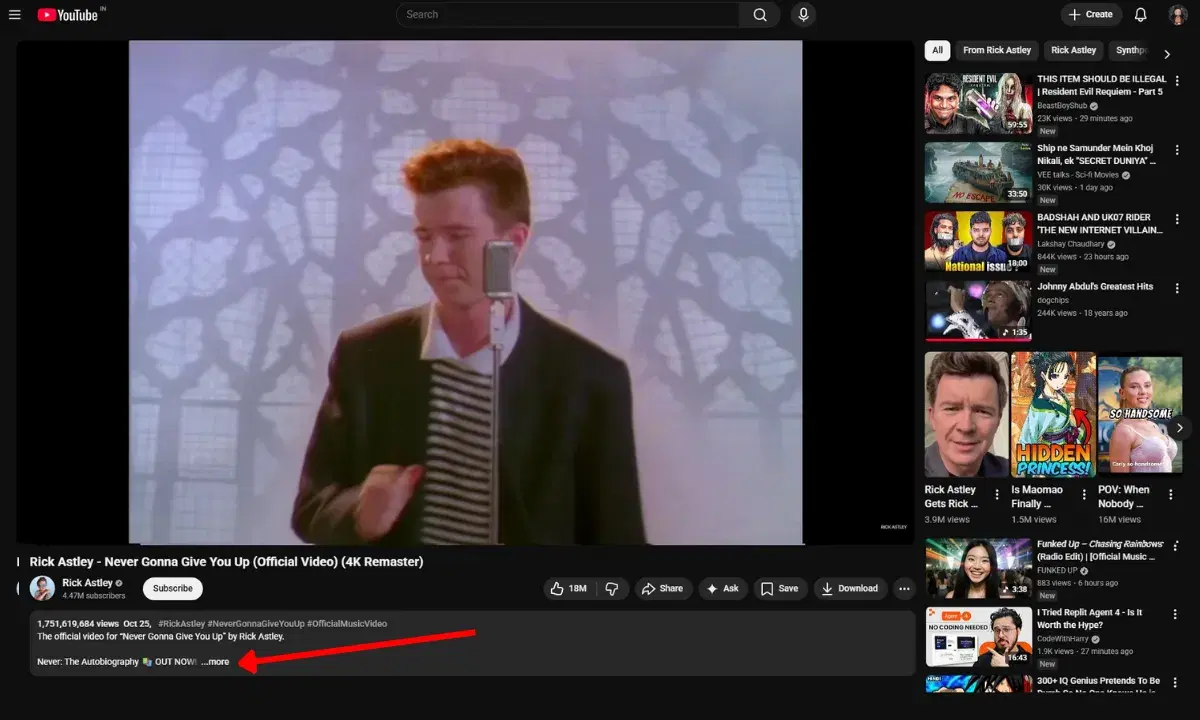
Have you ever opened a 20-minute YouTube video just to find one small piece of information?
It happens all the time.
You start watching the video, skip around the timeline, rewind parts… and suddenly 20 minutes are gone.
When I was researching content ideas, this used to waste hours every week.
Then I discovered a much faster solution:
YouTube transcripts.
Instead of watching the entire video, you can download the YouTube transcript and scan the content in seconds.
In this guide, I’ll show you 3 simple ways to download a YouTube transcript, including the method I personally use every day.
What Is a YouTube Transcript?
A YouTube transcript is the text version of everything spoken in a video.
YouTube automatically generates captions for many videos, and those captions can be converted into a full transcript.
This means every spoken word becomes searchable text.
Once you download the transcript, you can:
-
Read a 30-minute video in 1–2 minutes
-
Extract key insights instantly
-
Copy quotes and important sections
-
Turn video content into blog posts
-
Research competitors faster
For content creators and bloggers, transcripts are an incredible productivity tool.
Method 1: Download YouTube Transcript Using YouTube (Manual Method)
This is the simplest way to extract a transcript.
Steps
-
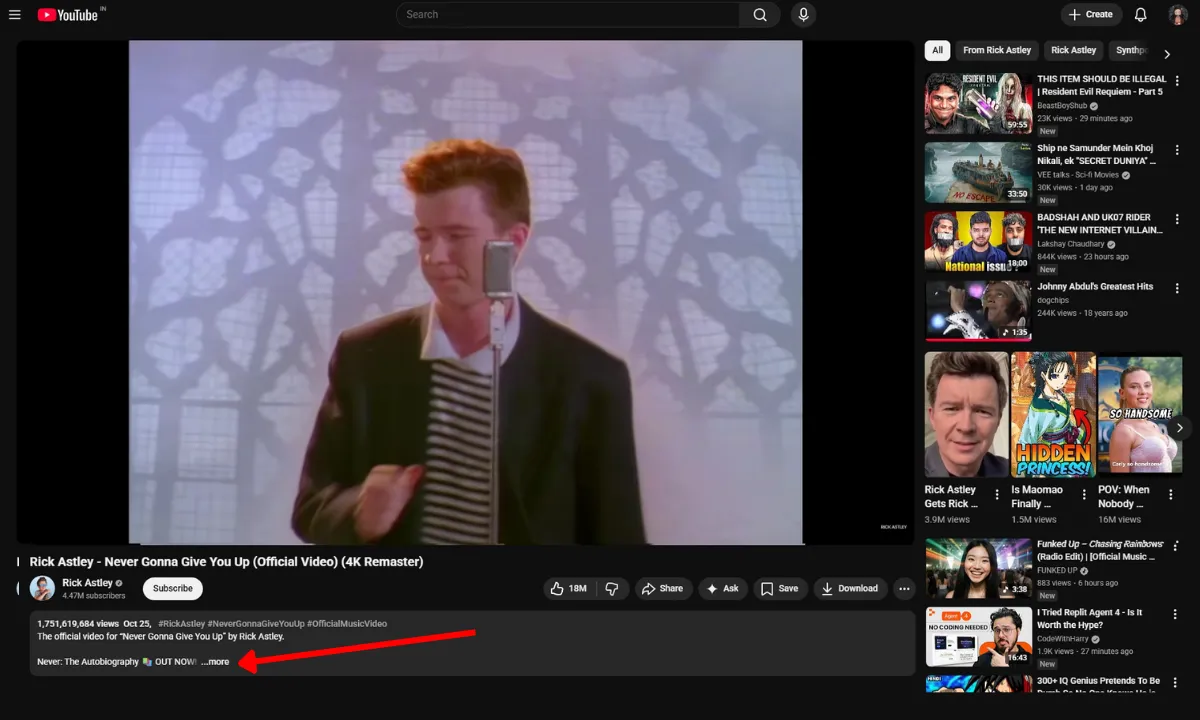
Open the YouTube video
-
-
Click the more..
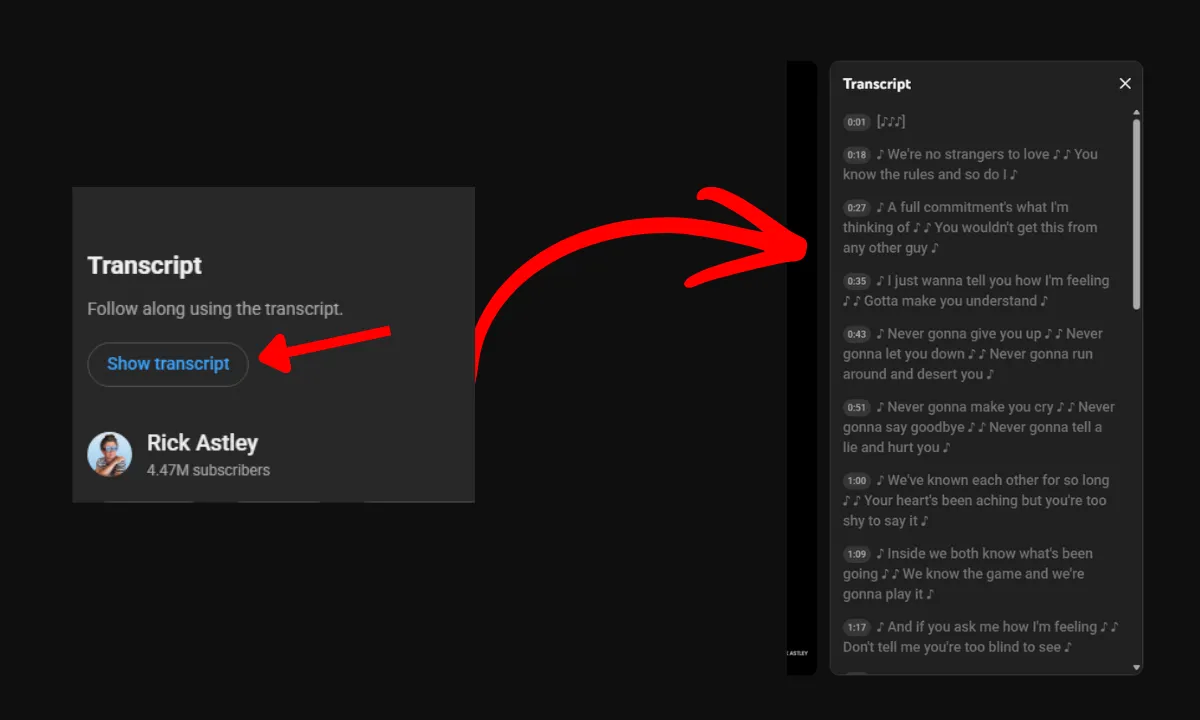
- Description open. Scroll down
-
Click Show transcript
-
Copy the transcript text Manual
You can paste the text into:
-
Google Docs
-
Notion
-
ChatGPT
-
Your blog editor
Limitation
YouTube doesn’t provide a download button, so you must manually copy the transcript.
This becomes annoying if you do it frequently.
Method 2: Use a YouTube Transcript Downloader (Fastest Way)
If you download transcripts regularly, a YouTube transcript downloader is much faster.
Instead of copying text manually, the tool extracts the transcript instantly.
Typical process:
-
Copy the YouTube video URL
-
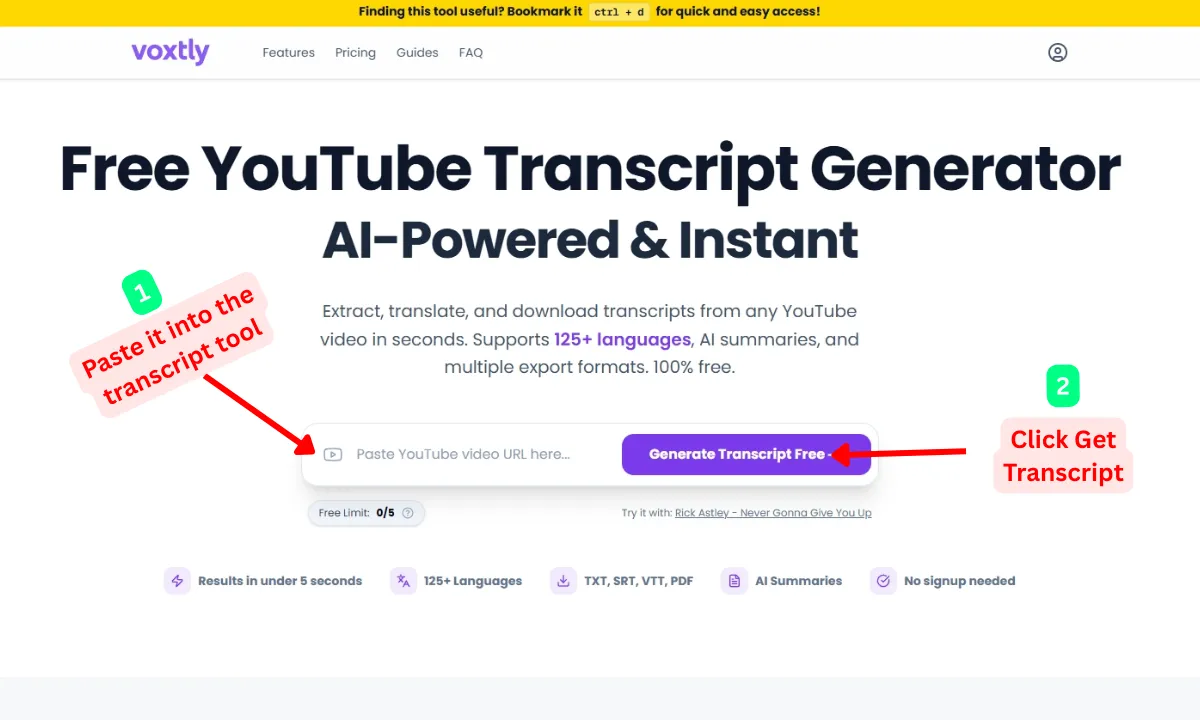
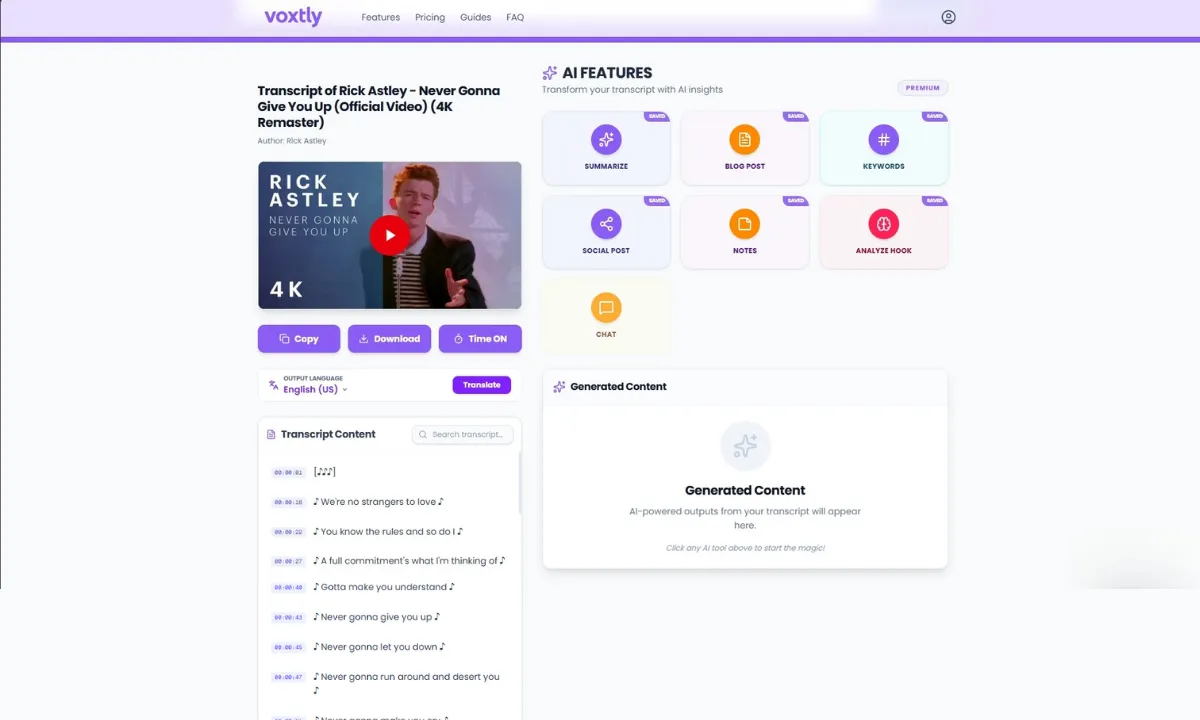
Go to Voxtly and Paste it into the transcript tool
-
Click Get Transcript
-
Download in multiple formats TXT, SRT, VTT, PDF or copy the text
Voxtly allow you to:
- One-Click Copy
-
Translate YouTube transcripts to 125+ languages
-
Export clean text
-
Extract subtitles instantly
- AI Features for free, only for login users
If you want the fastest method, you can use the free YouTube Transcript Downloader on Voxtly.
Just paste the video URL and the transcript appears instantly.
This is the method I personally use most when doing SEO research and content creation.
Use YouTube Transcripts for Content Research
This is where transcripts become extremely powerful.
Many content creators use transcripts to turn videos into structured content.
Here is the workflow I use regularly.
Step 1 — Find a Trending Video
Look for popular or trending videos in your niche.
For example:
-
SEO tutorials
-
AI tools
-
marketing strategies
-
educational videos
Step 2 — Download the Transcript
Extract the full transcript from the video.
Now you have the entire video content in text format.
Step 3 — Identify Key Points
Scan the transcript quickly and highlight:
-
main ideas
-
important insights
-
step-by-step processes
Step 4 — Turn It Into Content
You can now convert the transcript into:
-
blog outlines
-
article sections
-
newsletters
-
social posts
This simple technique can reduce content research time by 70-80%.
Why YouTube Transcripts Are a Huge Productivity Hack
When I first started blogging, I spent hours watching long videos for research.
Sometimes a 30-minute video only contained two or three useful insights.
After discovering transcripts, everything changed.
Now I can:
-
read a full transcript in minutes
-
find valuable insights quickly
-
skip unnecessary sections
-
research multiple videos faster
Instead of spending hours watching videos, I simply scan the transcript and extract what matters.
For content creators, this is a massive time saver.
Common Problems When Downloading YouTube Transcripts
Sometimes users run into issues when trying to extract transcripts.
Here are the most common problems.
Transcript Not Available
Some videos disable captions, which means transcripts cannot be generated.
Wrong Language
YouTube may automatically generate captions in a different language.
In most cases you can switch the language inside the transcript panel.
Messy Formatting
Many transcripts include timestamps or broken formatting.
Using a transcript downloader tool usually cleans the text automatically.
Who Should Use YouTube Transcripts?
YouTube transcripts are useful for many types of users.
Content Creators
Turn video ideas into blog posts, scripts, or newsletters.
SEO Bloggers
Extract insights and keywords from competitor videos.
Students
Take notes from educational videos much faster.
Researchers
Analyze spoken content without watching the entire video.
If you work with information regularly, transcripts can save a huge amount of time.
Why Many People Still Don’t Use Transcripts
Surprisingly, most people still watch videos the slow way.
They scrub through the timeline trying to find useful information.
But once you know how to download YouTube transcripts, you can:
-
read videos faster
-
extract key insights instantly
-
research topics more efficiently
It’s one of the simplest productivity tricks on the internet.
Final Thoughts
Most people waste hours watching long YouTube videos.
But if you know how to download a YouTube transcript, you can instantly convert video content into readable text.
Instead of spending 30 minutes watching a video, you can scan the transcript in seconds and find exactly what you need.
If you want the fastest way to do it, try a YouTube transcript downloader tool that extracts transcripts automatically from any video URL.
Once you start using transcripts, you’ll probably never go back to watching long videos just to find a single piece of information.