

Ever watched a YouTube video and wished you could download the subtitles as a file? Whether you're a video editor, student, or content creator, having a subtitle file saves you hours of manual work.
In this guide, you'll learn exactly how to download YouTube subtitles for free — and which tool makes it the easiest.
What Is a YouTube Subtitle Downloader?
A YouTube subtitle downloader is a web-based tool that extracts the captions from any YouTube video and lets you save them as a file on your device.
Instead of manually typing out what's said in a video, you simply paste the YouTube URL, and the tool fetches the subtitle file for you — in seconds.
Most good subtitle downloaders support multiple formats:
- SRT — the standard format for video editors (Premiere Pro, DaVinci Resolve, Final Cut)
- VTT — used in web-based video players
- TXT — plain text, great for note-taking or pasting into ChatGPT
How to Download YouTube Subtitles (Step-by-Step)
Downloading subtitles from a YouTube video takes less than 30 seconds. Here's how:
Step 1: Copy the YouTube video URL Open the video on YouTube and copy the link from your browser's address bar (or tap "Share" on mobile and copy the link).
Step 2: Paste it into a subtitle downloader Go to Voxtly.com and paste the URL into the input box.
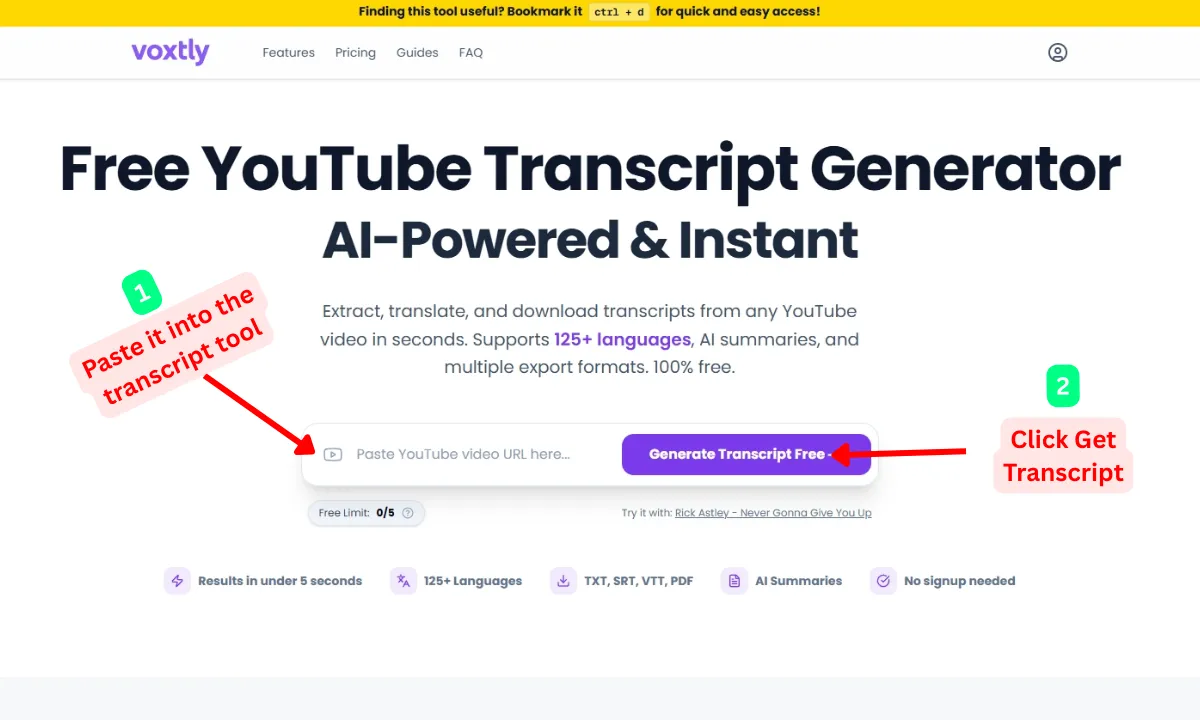
Step 3: Choose your language and format If the video has subtitles in multiple languages, select the one you need. Then pick your format SRT, VTT, or TXT.
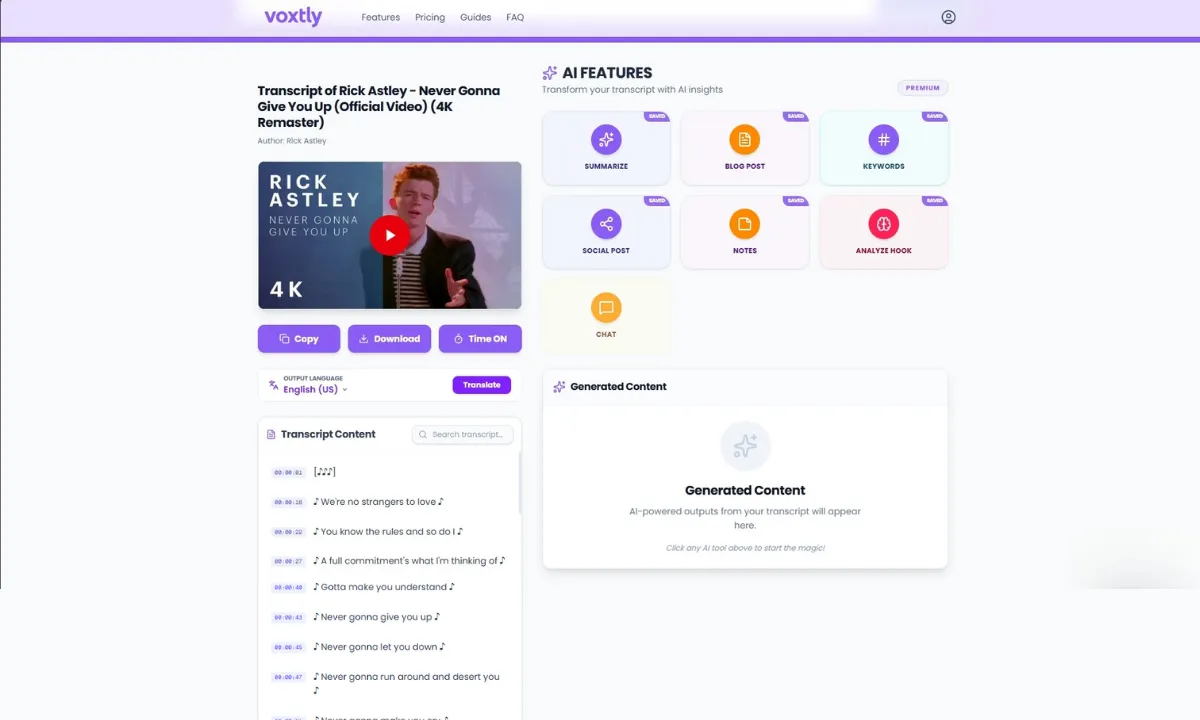
Step 4: Download or copy Click "Download" to save the subtitle file, or use the one-click copy button to paste it directly into another tool.
That's it. No account needed, no software to install.
Who Needs to Download YouTube Subtitles?
More people than you'd think use a YouTube subtitle downloader regularly:
Video editors use SRT files to add captions to their own projects without retyping anything. Import the file directly into your editing software and you're done.
Students and language learners download subtitles to study alongside the video, build vocabulary, or translate content into their native language.
Content creators extract subtitle text to repurpose into blog posts, newsletters, or social media captions — turning one video into multiple pieces of content.
Researchers and journalists use the text to search through spoken content, pull quotes, and verify timestamps quickly without scrubbing through hours of footage.
ChatGPT and AI users paste the TXT version into AI tools to generate summaries, study notes, quiz questions, or key takeaways from any video.
Frequently Asked Questions
Can You Download Auto-Generated YouTube Subtitles?
If a video has no captions at all (which is rare), the tool will notify you.
Can You Translate the Subtitles?
The Best Free YouTube Subtitle Downloader
Voxtly.com is the fastest and easiest way to download YouTube subtitles for free. Here's what makes it stand out:
- ✅ Supports SRT, VTT, and TXT formats
- ✅ Works with both manual and auto-generated captions
- ✅ Translates subtitles into 125+ languages
- ✅ One-click copy — no download required if you just need the text
- ✅ No account, no signup, no cost
Just paste your YouTube URL and download your subtitle file in seconds.
Final Thoughts
Downloading YouTube subtitles doesn't have to be complicated. With the right tool, you can grab a subtitle file in any format within seconds — no software, no registration, no cost.
Whether you need an SRT for your video editor, a TXT for ChatGPT, or a translated subtitle file for a global audience, Voxtly.com has you covered.
👉 Download YouTube Subtitles Free →
This post was last updated in March 2026.